Lifecycle Sherpa
Track every milestone from kick-off to ready-to-build.
Replace your spreadsheet-based milestone tracking with a structured, version-aware timeline. Define your own project milestones, track them across data snapshots, and compare actual progress against budget baselines — with deviation visible at a glance.
Sound familiar?
Milestone chaos
Your permitting dates, grid connection deadlines, and construction milestones are scattered across tabs in a shared spreadsheet that crashes when 3 people edit it at once.
No baseline comparison
When leadership asks "are we on schedule?", you can't answer because there's no recorded baseline to compare against.
History disappears
Someone updated the environmental clearance date last week but nobody knows what it was before. There's no version history, no audit trail, no accountability.
Everything you need
Tenant-configurable milestones
Define the milestones that match your workflow — permitting, grid connection, environmental clearance, land acquisition. Every tenant gets their own milestone structure, no code changes needed.
Data snapshots & versions
Create Draft, Budget, Forecast, and Scenario snapshots of your project data. Each version captures a point-in-time record that you can compare later.
Visual project timeline
See your milestones on a horizontal timeline grouped by category (Development, Construction, Ownership). Color-coded by status. Instantly spot what's on track and what's delayed.
Clone versions instantly
Starting a new planning cycle? Clone any existing version to create an instant baseline. Modify the copy while the original remains untouched as your benchmark.
Lock historical snapshots
Mark any version as locked to preserve it as a read-only historical record. No accidental edits, no disputed timelines. Locked means locked.
Deviation analysis
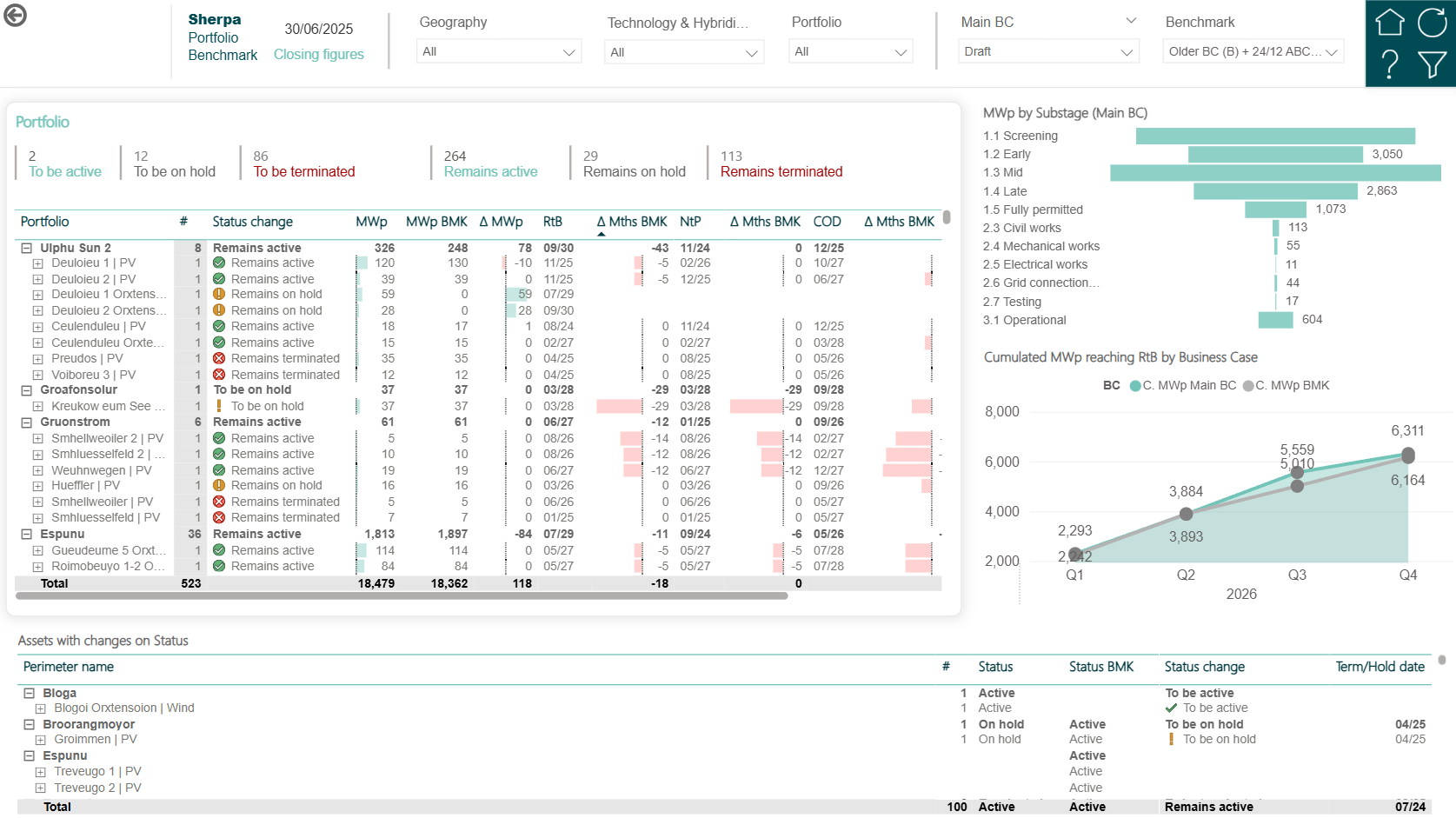
Select any two versions and see per-milestone date deviation. Budget said "grid connection by June" but Forecast says "August"? See exactly where the schedule slipped and by how much.
How it works
Define your milestones
Set up project milestone categories and items that match your development process. Environmental dates, construction windows, regulatory deadlines — whatever your projects need.
Track across versions
Enter milestone dates and values in the Draft version. When you lock down a budget baseline, clone Draft into a Budget snapshot. As reality changes, update Draft and compare.
Spot deviations instantly
Open the timeline view and toggle between versions. Red highlighting shows where dates have slipped. Drill into any milestone to see the full version history.
Ready to replace your spreadsheet timelines?
Track every milestone with version history, deviation analysis, and zero data loss.